 sales@batterydeji.com
 English


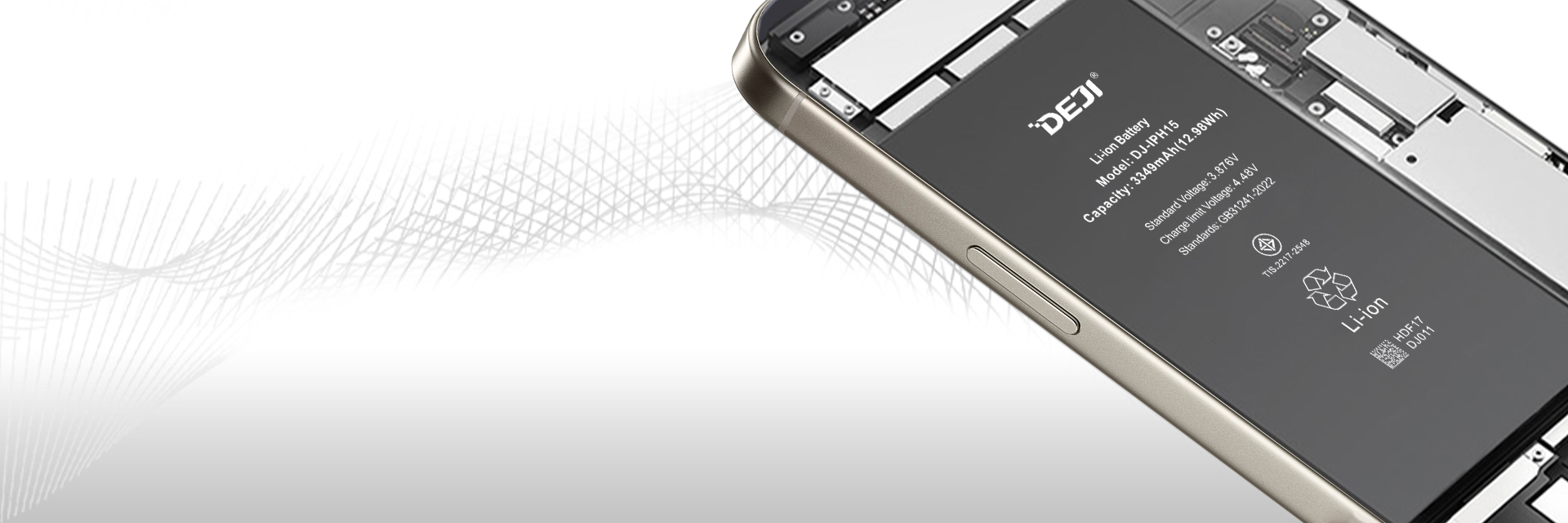

You replace an iPhone battery. Clean job, good cell, phone boots up perfectly. Then the customer's back the next morning, phone in hand, pointing at a warning message they've never seen before: "Unable to verify this iPhone has a genuine Apple battery."
Sound familiar?
That single pop-up has probably cost the repair industry more callbacks, refunds, and lost trust than any actual hardware failure.
And for refurbished phone sellers, it's worse. An "Unknown Part" label in the battery settings can knock hundreds of dollars off resale value overnight.
The good news is you don't have to live with it.
iPhone diagnostic batteries exist specifically to solve this problem. But there are several types on the market right now, and they don't all work the same way.
This guide breaks down how Apple's battery authentication actually works, what your replacement options are, and how to pick the right battery type for your business.
How Does Apple's iPhone Battery Diagnostic System Work?
Apple uses an encrypted authentication chip on each battery's circuit board that communicates with iOS. If the chip can't verify itself to the phone's logic board, iOS flags the battery as unverified and disables health reporting.
An iPhone being charged via a cable on a white, textile background
The chip in question is a Texas Instruments fuel gauge (the BQ27546, or Apple's proprietary variant labeled SA27546).
It's tiny (about 2.6mm x 2mm), and it sits on the battery's BMS (Battery Management System) board.
This chip tracks remaining capacity, state of charge, voltage, temperature, and lifetime data. It also handles authentication using SHA-1/HMAC cryptography with a key that gets programmed at Apple's factory.
The handshake works like this: iOS sends a 20-byte challenge to the chip. The chip computes a response using its stored key. If the response matches what iOS expects, the battery is authenticated. If it doesn't, you get the warning.
You can check battery health through Settings → Battery → Battery Health & Charging, which shows maximum capacity percentage, peak performance capability, and (on iPhone 15 and later running iOS 17.4+) cycle count.
The "Genuine" or "Unknown Part" label lives in a different spot: Settings → General → About → Parts and Service History.
What Happens When You Install a Non-Original Battery?
iOS displays an "Unable to verify" pop-up notification, labels the battery as "Unknown Part" in settings, and disables the Battery Health percentage readout entirely.
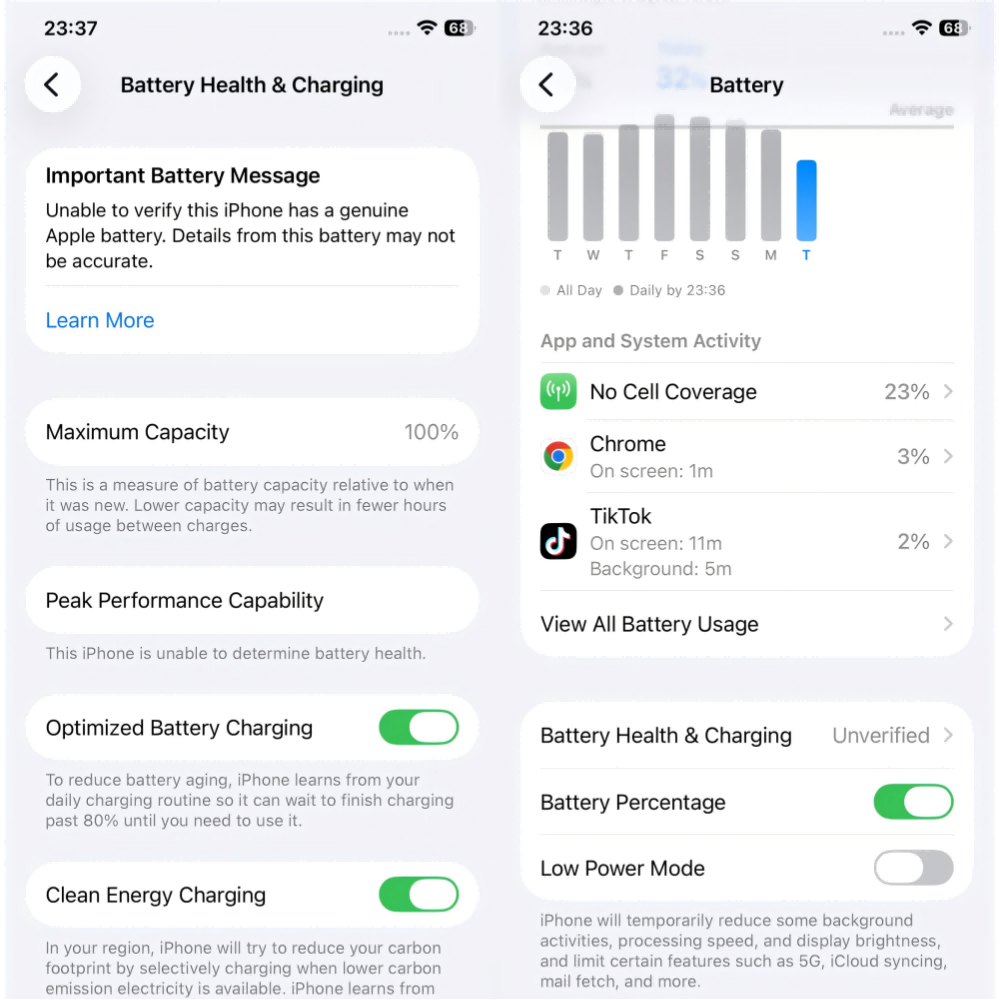
The warning sequence follows a specific pattern. For the first four days after installation, a lock screen notification appears. After that, a notification sits in Settings for about 15 days. Then the message settles permanently into the Battery Health section.
The "Unknown Part" label in Parts and Service History never goes away without re-pairing.
What you actually lose with a non-authenticated battery:
-
Maximum Capacity percentage: gone
-
Peak Performance Capability: shows "unknown"
-
Cycle count: not available
-
Optimized Battery Charging alerts: disabled
What still works just fine: charging, discharging, actual performance, every other iPhone feature. iOS doesn't throttle a healthy non-authentic battery. The phone runs normally. But your customer doesn't know that. They see a warning and assume something's wrong.
However, surprisingly, even a genuine Apple battery pulled from another iPhone can trigger these exact same warnings. The issue isn't battery quality.
It's authentication pairing.
This affects iPhone XR, XS, and every model since. Older models (iPhone X and earlier) show a less restrictive message, and iPhone 8 and earlier have no authentication restrictions at all.
What Are the Different Types of iPhone Replacement Batteries?
Five main categories exist (standard aftermarket, BMS-transfer, decode, diagnostic (CK), and genuine Apple), and each one behaves differently when iOS runs its authentication check.
This is where most guides fall short. They talk about "third-party batteries" like they're all the same thing. They're not. The differences matter for your shop.
Standard aftermarket batteries have no authentication chip programming at all. Install one, and you get the full warning treatment: "Unknown Part," no health display, pop-up notifications.
They're the cheapest option at $3–10 wholesale, and they're perfectly fine for budget repairs on older iPhones where the customer genuinely doesn't care about the warning. But for anything going into a resale channel or a customer who checks their settings? Not ideal.
BMS-transfer batteries use the old battery's TI chip.
You desolder it from the original battery's board and attach it to the new cell. The phone sees the old chip, recognizes it, and shows no warnings. The catch: the old chip carries forward its original health data and cycle count so that a brand-new cell might show 87% health and 430 cycles.
You also need specialized equipment (microscope, soldering station, spot welder), which runs $500 to $1,500+. And failure rates sit around 3–8%. This method is being phased out by plug-and-play alternatives.
Decode batteries are where things get interesting for repair shops. The authentication protocol has been decoded and reprogrammed onto the battery's chip.
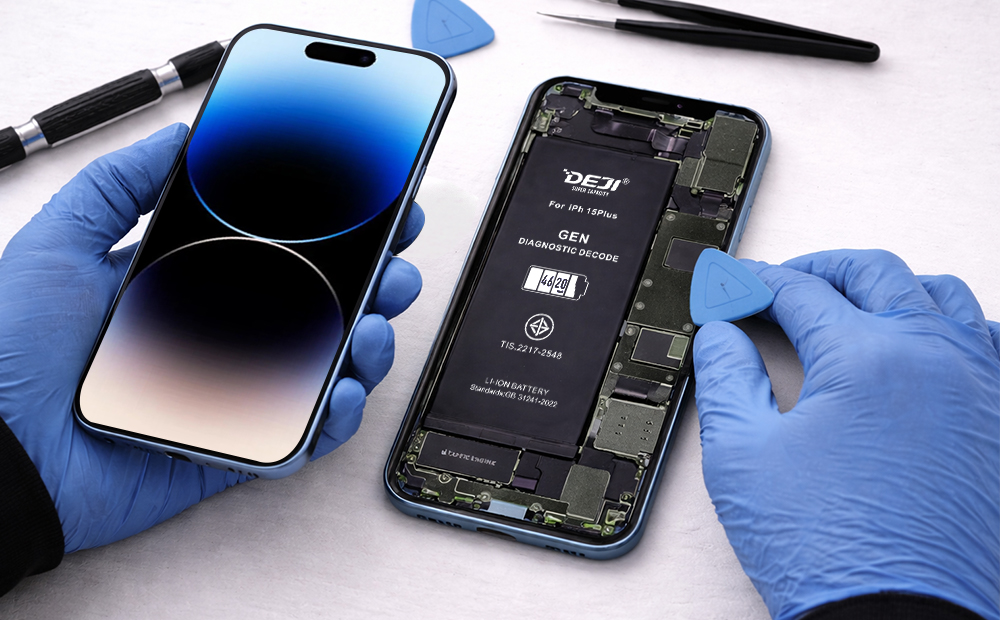
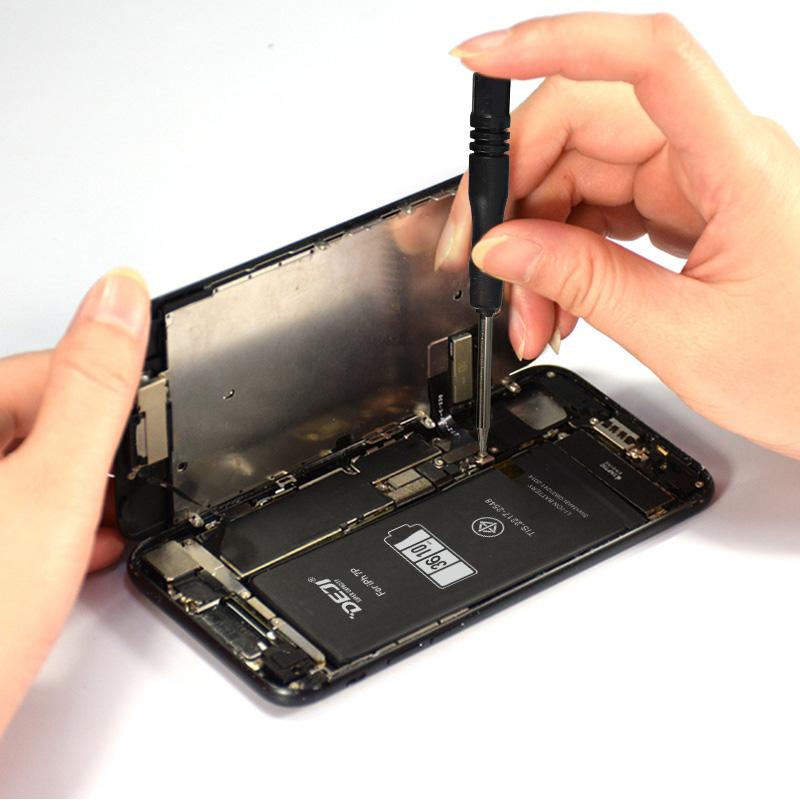
You get accurate battery health reporting, no warning messages, and no pop-ups. Installation is plug-and-play: no soldering, no chip swapping, no extra tools.
For shops that want diagnostic compatibility without the complexity, decode batteries hit a good middle ground.
Diagnostic batteries (also called CK batteries) take it a step further. "CK" stands for "cracked," a term from the Chinese repair industry referring to batteries where Apple's encryption has been cracked. These come with pre-programmed authentication chips that pass Apple Diagnostics.
After installation, the battery shows 100% health, and the diagnostic results look identical to a genuine Apple battery.
This is the most popular type among refurbished phone sellers, especially in South American and Southeast Asian markets, where customers closely inspect battery status before buying.
Genuine Apple batteries (installed through an AASP, IRP, or Apple's Self Service Repair program) get full pairing through Apple's Repair Assistant.
The battery shows "Genuine" in Parts and Service History, health data works perfectly, and the cycle count resets. The downside is cost: $54–86 for the part alone through Self Service Repair, or $69–119 for full Apple service, depending on the model.
And you need either IRP/AASP certification or Apple's tool rental kit ($49 for 7 days with a $1,200 deposit).
How Do CK Batteries Differ from Decode and Genuine Diagnostic Batteries?
The key difference is what iOS displays after installation. CK batteries mirror original battery data in diagnostics, decode batteries show accurate new-battery data without warnings, and genuine diagnostic batteries display "Genuine" in Parts and Service History.
This is where you’ll need to be specific.
CK batteries pass Apple's diagnostic test with results that are indistinguishable from an original battery. Every field (health percentage, cycle count, manufacturer info) matches what iOS would show for a factory battery.
Refurbished phone sellers use them heavily because the end customer sees exactly what they'd expect from a phone with its original battery. Pricing is reasonable, and they're by far the most popular diagnostic battery type in Latin American and Asian wholesale markets.
CK3 diagnostic batteries are a variant. When you run a diagnostic test through iOS, the battery repair record shows "Used" rather than appearing brand new. The price is similar to standard CK batteries. These target repair shops and refurbishers want clean diagnostics but prefer the record to reflect a realistic replacement history.
Genuine diagnostic batteries are the premium tier. iOS diagnostic testing shows the battery record as "Genuine," the same status you'd see after an official Apple battery replacement.
These cost more than CK or CK3, so order volumes tend to be lower. They mainly target high-end repair operations and customers with the purchasing power to pay for that extra assurance.
Which type fits your business?
Budget-focused refurbishment with high volume: CK. Standard repair shop work where you want clean results and honest records: CK3 or decode. Premium service with customers who check Parts and Service History: genuine diagnosis.
How Has iOS Changed Battery Authentication Over the Years?
Apple has tightened battery authentication with nearly every major iOS update since 2018, but recent versions are starting to loosen restrictions under Right to Repair pressure.
Here are the milestones that actually matter for your shop:
-
iOS 11.3 (March 2018): Battery Health was introduced for the first time. This came directly out of Apple's "Batterygate" controversy. Apple had been throttling older iPhones with degraded batteries without telling anyone.
-
iOS 12.1 (late 2018): Authentication activated on iPhone XS and XR. This is when third-party batteries first started triggering warnings.
-
iOS 15.2 (December 2021): Parts and Service History added to Settings → General → About. For the first time, iOS explicitly labeled components as "Genuine Apple Part" or "Unknown Part." This was a turning point for the refurbished market.
-
iOS 18.0 (September 2024): Repair Assistant introduced, enabling on-device part pairing. Used genuine batteries became reusable across devices. But third-party batteries still got flagged as "Unknown Part."
-
iOS 18.1 (late 2024): A significant shift. Battery health metrics began displaying for some non-Apple batteries — with a disclaimer that Apple "cannot verify the information." Still imperfect, still progress.
And the regulatory pressure isn't letting up. Colorado's parts pairing ban took effect in January 2026. Oregon's law kicks in next year with retroactive coverage for devices made since 2021.
The EU's Ecodesign Regulation (effective June 2025) requires manufacturers to provide spare parts for 7 years and prohibits techniques that impede independent repair. All of this pushes Apple toward fewer restrictions on third-party battery compatibility.
How Do You Run a Battery Diagnostic on an iPhone?
Open Settings → Battery → Battery Health & Charging for basic health data. For deeper diagnostics (design capacity, raw cycle count, charge voltage), use desktop tools like 3uTools, coconutBattery, or iMazing.
The built-in iOS method gives you the headline numbers: maximum capacity percentage, peak performance capability, and (on iPhone 15+) cycle count. That's enough for most customer-facing conversations.
For technician-level data, desktop tools reveal what iOS hides.
coconutBattery (Mac only) shows design capacity vs. current full charge capacity, manufacture date, and temperature.
3uTools (Windows) gives similar data plus serial number verification.
iMazing works on both platforms and exports detailed battery reports, useful if you're documenting the condition for wholesale buyers.
Apple also offers remote diagnostics through their support website (iOS 17+), though this is designed for consumers working with Apple Support, not independent technicians.
For shops doing BMS work, hardware programmers like the QianLi iCopy Plus and JC V1S Pro can read and write battery data directly.
But if you're using decode or CK diagnostic batteries, you don't need any of this extra equipment. The batteries handle authentication out of the box.
Or there’s the built-in diagnostic mode, which you can access by following the guide below.
How to Put Your iPhone in Diagnostics Mode(YOUTUBE)
What Should Repair Shops Consider When Choosing a Battery Supplier?
Cell quality, diagnostic compatibility with current iOS versions, and consistent QC matter more than the lowest wholesale price. A cheap battery that triggers warnings or fails within months costs you far more in callbacks and lost customers.
Start with the cells themselves.
A+ grade cobalt cells are the industry standard for quality. Anything below that (recycled cells, B-grade) will degrade faster and cause a reputation problem for your shop. Look for suppliers whose batteries retain 80%+ health after 500 full charge cycles.
That's the benchmark Apple sets for its own batteries, and your customers will hold you to the same standard.
iOS compatibility is the other big one.
Apple updates its authentication with every major iOS release, and a battery that passed diagnostics under iOS 17 might not behave the same under iOS 18. Your supplier should be testing against the latest iOS version and updating their chip programming accordingly. Ask them directly. If they can't give you a clear answer, that's a red flag.
Certifications tell you a supplier is serious about safety and export compliance. CE, FCC, and RoHS are the baseline for selling into Europe and North America. UN38.3 certification is required for shipping lithium-ion batteries by air.
IEC62133 covers safety testing. If a supplier can show you all of these plus ISO9001 quality management, you're dealing with a legitimate manufacturing operation, not a repackaging middleman.
DEJI is one manufacturer that checks these boxes.
They're a factory-direct operation in Shenzhen with over 20,000 sqm of production space, ISO9001, CE, FCC, UN38.3, IEC62133, and TUV US certifications, and a published defect rate below 0.0003.
They produce both high-capacity iPhone batteries and a full range of diagnostic-compatible batteries (decode, CK, and genuine) with 12-month warranty coverage. For wholesale and OEM inquiries, they ship from stock in 2–5 days.
Plus, the battery diagnostics are completely compatible with iOS 26.3.1, so it doesn’t matter how modern the device is; these batteries will work.
The Bottom Line for Your Repair Business
That "Unknown Part" warning doesn't have to be the cost of doing business. The right diagnostic battery, matched to your customer base and price point, eliminates the pop-ups, restores battery health reporting, and keeps your callback rate where it should be: close to zero.
The repair industry is shifting fast. iOS keeps evolving, right-to-repair laws are expanding across the US and EU, and customers are getting savvier about what they see in their phone's settings. Suppliers that stay current with iOS compatibility and invest in real QC are the ones worth building a relationship with.
Your battery choice isn't just a parts decision. It's a customer experience decision.
DEJI manufactures the full range of iPhone diagnostic batteries (decode, CK, CK3, and genuine) alongside high-capacity replacement batteries for iPhone 5 through 16. All batteries ship factory-direct with 12-month warranty coverage.
If you're a repair shop, refurbisher, or distributor looking for a reliable supply partner, get in touch for wholesale pricing or browse the full diagnostic battery range.